Why Do You Need a Coding Machine for Packaging?
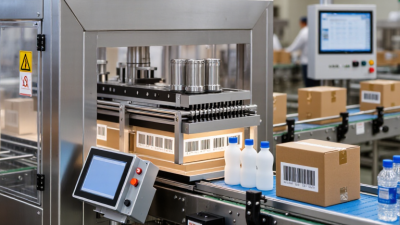
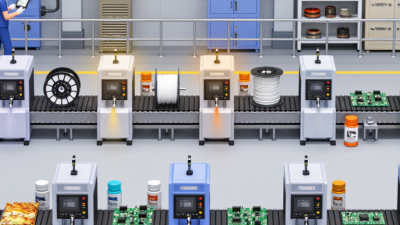
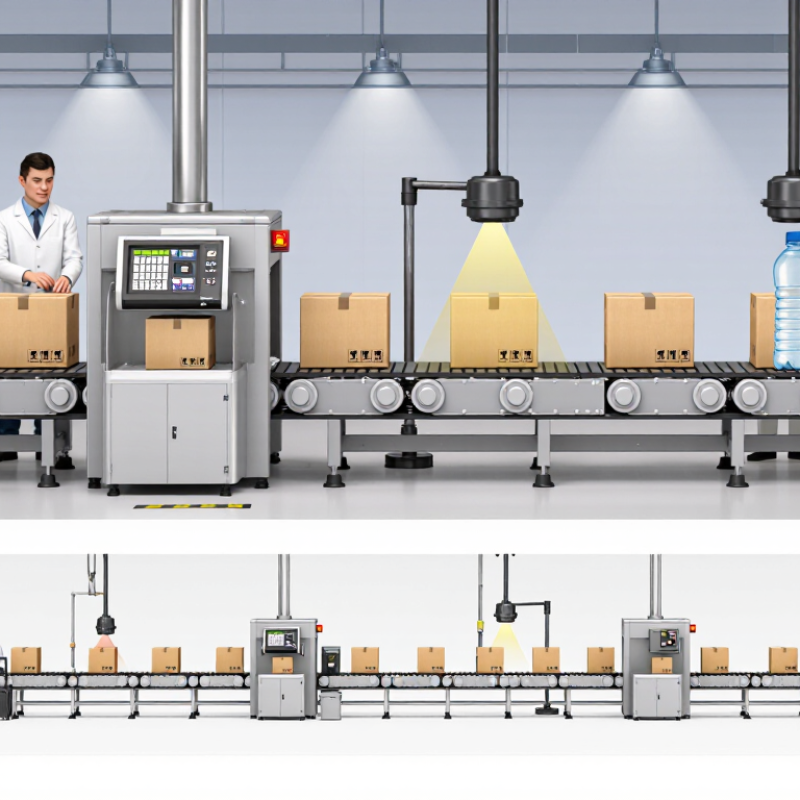
A carton moves down the conveyor. A sensor detects its position, and a Coding Machine prints a batch number, date, or barcode onto the package. The mark may be small, but it carries useful information through production, storage, and distribution. Without dependable coding, teams may struggle to identify products, trace batches, or keep records consistent.
In an illustrative expert voice, packaging engineer Alex Morgan puts it this way: “A code is only useful when it stays clear, accurate, and readable at line speed.” This is a practical principle, not a substitute for testing. The right machine depends on the packaging material, production speed, print location, and operating environment. Inkjet, laser, and thermal systems each suit different jobs. A glossy pouch, a rough cardboard case, and a curved bottle do not behave alike.
Small marks matter. So does placement. A code printed too close to a seam may blur or disappear during handling. A team should test real samples at normal line speed before choosing equipment. That step can reveal issues a product sheet will not. It is easy to focus on the printer alone; that can be a mistake. Mounting, sensors, maintenance, and operator training also affect results. A Coding Machine is not just a printer beside the conveyor. It is part of a packaging process that needs to work reliably, shift after shift.
What Packaging Coding Machines Print: Dates, Batch IDs, and GS1 Data
A packaging coding machine prints the details that make a product identifiable after it leaves the line. Common marks include production dates, best-before dates, batch or lot IDs, and serial numbers. GS1 data can also be carried in barcodes, including two-dimensional codes, alongside a product’s Global Trade Item Number (GTIN). The GTIN identifies the trade item; a batch ID connects it to a production group.
Small print, big consequences.
Clear codes help warehouses and retailers scan products, while giving manufacturers useful records for tracing a specific lot. CDC’s 2011 estimates put annual U.S. foodborne illness at 48 million cases, 128,000 hospitalizations, and 3,000 deaths. These figures do not show that coding prevents illness. They do underline why accurate product identification and traceability matter. GS1’s Global Traceability Standard describes recording identifiers and key events as products move through supply chains. A code alone is not a traceability system, though; data must be captured and maintained.
Tips: Test codes on the actual packaging material, not just a sample sheet. Check contrast, placement, scan quality, and readability after handling. Match the encoded fields to your product and tracking process. And be honest about the weak spot: ink can smudge, labels can shift, and rushed line changes invite mistakes. Regular verification catches many of them.
Why Traceability Matters: FDA FSMA 204 Records Are Due Within 24 Hours on Request
A coding machine can print a lot code, pack date, and line identifier directly onto each package. Those small marks connect a physical item to production records. Small marks matter. If an inspector requests traceability records, covered businesses under FDA’s Food Traceability Final Rule must provide them within 24 hours, or within another reasonable time agreed upon with FDA. The rule applies to specified foods and supply-chain events, so businesses should confirm which products and records are covered.
CDC estimates that foodborne illnesses cause about 48 million illnesses, 128,000 hospitalizations, and 3,000 deaths in the United States each year. These figures show why a fast, accurate trace can matter during an investigation or recall. A printed code is useful only when it matches records for ingredients, production, and shipment. Operators can check legibility at shift changes and after printer adjustments, then scan samples against batch records. A printer alone is not traceability. Even a readable code can point to incomplete records; that is an uncomfortable gap worth checking before a request arrives. (Sources: FDA, Food Traceability Final Rule; CDC, Estimates of Foodborne Illness in the United States.)
Why Do You Need a Coding Machine for Packaging? — Why Traceability Matters: FDA FSMA 204 Records Are Due Within 24 Hours on Request
Illustrative example: The sample values below are fictional and show how packaging codes can help link products to traceability records. FSMA 204 applies to covered foods and entities, subject to the rule’s scope and exemptions.
| Traceability Event |
Example Product and Activity |
Key Data to Record |
Example Packaging or Record Identifier |
How Coding Supports Traceability |
| Receiving |
Receiving packaged leafy greens from a supplier |
Supplier and location description; date received; product description; quantity and unit of measure; applicable Traceability Lot Code (TLC); TLC source information, when required |
Supplier lot: SL-260514-A
Received: May 14, 2026 |
A scanned or entered lot identifier can connect incoming product to the receiving record and its supplier information. |
| Transformation |
Washing, cutting, and packing leafy greens into retail bags |
Transformation date; input TLCs; quantity used; product description; quantity produced; new TLC assigned to the output food, when required |
Output lot: PK-260514-B
Example package code: LOT PK-260514-B |
A packaging coder can print a consistent lot identifier on each package, helping link finished units to the production and input-lot records. |
| Shipping |
Shipping finished cases to a distribution location |
Shipment date; product description; quantity and unit of measure; TLC; ship-from and ship-to location descriptions; applicable reference document |
Finished lot: PK-260514-B
Shipment reference: SHIP-051426-03 |
Matching the package or case lot code to shipment records helps identify where a specific lot was sent. |
| Record retrieval |
Responding to an FDA request for relevant traceability records |
Organized records containing applicable Key Data Elements (KDEs) for relevant Critical Tracking Events (CTEs); records must be available within 24 hours of an FDA request, or within a reasonable time agreed to by FDA |
Search by TLC: PK-260514-B |
Readable, consistent codes can make it faster to locate and reconcile packaging, production, receiving, and shipping records. |
How Inkjet, Laser, and Thermal Transfer Suit Different Packaging Lines
Why Do You Need a Coding Machine for Packaging?
A coding machine prints details such as dates, batch numbers, and product codes directly onto packaging. The right system depends on the line’s speed, materials, and changeover needs. A code that looks clear on a sample may blur on a moving pouch. Test it at production speed.
Inkjet suits lines that handle varied products or need frequent code changes. It can print without touching the package, including on cartons, bottles, and some flexible films. But ink must dry properly, and the surface matters: glossy packaging may need a compatible ink. Operators also need to check printheads and keep them clean. Small details can cause downtime.
Laser coding is a strong option for permanent marks on suitable surfaces, with no ink or ribbon to replenish. Yet contrast varies by material, and the system needs careful setup, guarding, and effective fume extraction where required. Thermal transfer overprinting (TTO) is often used on flexible packaging films. It produces crisp codes on the film as it moves through a form-fill-seal line. Ribbon changes and film alignment still affect uptime. No method fits every line. Compare code readability, maintenance, and total operating cost, then verify codes on real packs with a scanner. I would not choose by print speed alone.
How ISO/IEC 15416 Grades 1D Barcode Quality on a 0–4 Scale
A coding machine does more than place numbers on a package. It must produce bars and spaces that a scanner can distinguish at line speed. For one-dimensional barcodes, ISO/IEC 15416 provides a way to assess print quality. A barcode may look crisp to the eye and still perform poorly. That difference matters.
The standard grades quality on a scale from 0 to 4, with 4 representing the strongest result and 0 the weakest. The grade considers several scan-profile characteristics, including symbol contrast, modulation, defects, and decodability. A calibrated verifier measures these features; an ordinary handheld scanner usually only confirms whether it can decode the symbol. Small gaps between bars, smudges, or uneven ink can lower a grade.
Packaging conditions complicate the picture. A label may wrinkle around a bottle, while a carton can absorb ink differently across its surface. Check samples from the actual production line, not just a clean test sheet. Keep the verifier settings consistent, since aperture and illumination can affect results. A good grade is useful evidence, but it does not guarantee every scanner will read every package.
I would also inspect real prints over time; one strong sample can be reassuring, perhaps too reassuring.
How to Match Coder Speed, Substrate, and Code Readability to Production
Why Do You Need a Coding Machine for Packaging?
A coding machine must keep pace with the line without sacrificing legibility. Check the real production speed, including brief surges, stops, and product changeovers. A coder rated for a headline speed may struggle when cartons wobble or operators adjust spacing. Run a timed trial on your own line. Watch the code on moving packs, not just on a sample held under bright lights. That sounds obvious. It is often missed.
Substrate matters just as much. A porous carton absorbs ink differently from glossy film, while condensation or dust can weaken adhesion. Test the actual packaging material and allow time for the code to dry or cure. Then verify readability with a barcode verifier, not only a quick visual check. ISO/IEC 15416 and ISO/IEC 15415 use a 0–4 quality scale for linear and two-dimensional symbols; zero is the lowest grade. GS1’s General Specifications also define key symbol dimensions and quiet zones. These are practical checks, not guarantees: a code can pass on a clean bench and fail after scuffing, chilling, or handling. Keep samples from different shifts. The comparison may reveal an imperfect setup, but it gives operators evidence to adjust speed, placement, or print settings before unreadable codes spread across a run.
Why Match Coder Speed, Substrate & Readability?
Barcode verification grades provide a standardized way to assess code quality. Use them alongside production-speed trials on the actual packaging material.
Grade bands shown on the 0–4 scale used in ISO/IEC barcode verification: A begins at 3.5, B at 2.5, C at 1.5, D at 0.5, and F is below 0.5. A suitable acceptance grade depends on the application; verify codes at the intended line speed and on the production substrate.


 Distributors
 SDS Download
 Contact